
Ado Piso Wifi
Ado Piso Wifi is a game-changing internet vending system that uses coins. It provides low-cost, on-demand internet access when options are few or missing. AdoPiSoft runs this system, usually on Raspberry Pi 4B devices. Users can connect with coins, e-wallets, or vouchers.
Customers and vendors can access the AdoPiSoft portal at 10.0.0.1. Here, they can insert coins, pause time, or change settings.
Why Ado Piso Wifi Stands Out in the Philippines
- Pay-As-You-Go Flexibility: Users pay only for the time or data they need, making it ideal for students, travelers, and low-income households.
- Plug-and-Play Simplicity: No complex setup – devices automatically configure network settings.
- Business Opportunities: Vendo owners can generate income by sharing their internet connection.
- Secure & Customizable: Features like bandwidth throttling, time limits, and voucher systems ensure fair usage.
(For Vendo Customers)
How to Connect to Ado Piso Wifi: A Step-by-Step Guide for Users
Step 1: Find the Network
Look for Ado Piso Wifi in your device’s Wi-Fi settings and connect. No password is required initially.
Step 2: Access the Portal
Open a browser and go to http://10.0.0.1. The portal will guide you to:

- Buy WiFi: Insert coins or use e-wallets like GCash.
- Redeem Vouchers: Enter a code for prepaid access.
- Pause Time: Temporarily halt your session to resume later.
(For Vendo Owners)
Mastering the Ado Piso Wifi Admin Dashboard
Logging In
- Connect to your Ado Piso Wifi network.
- Go to http://10.0.0.1/admin and log in with default credentials (Username: admin, Password: admin ).
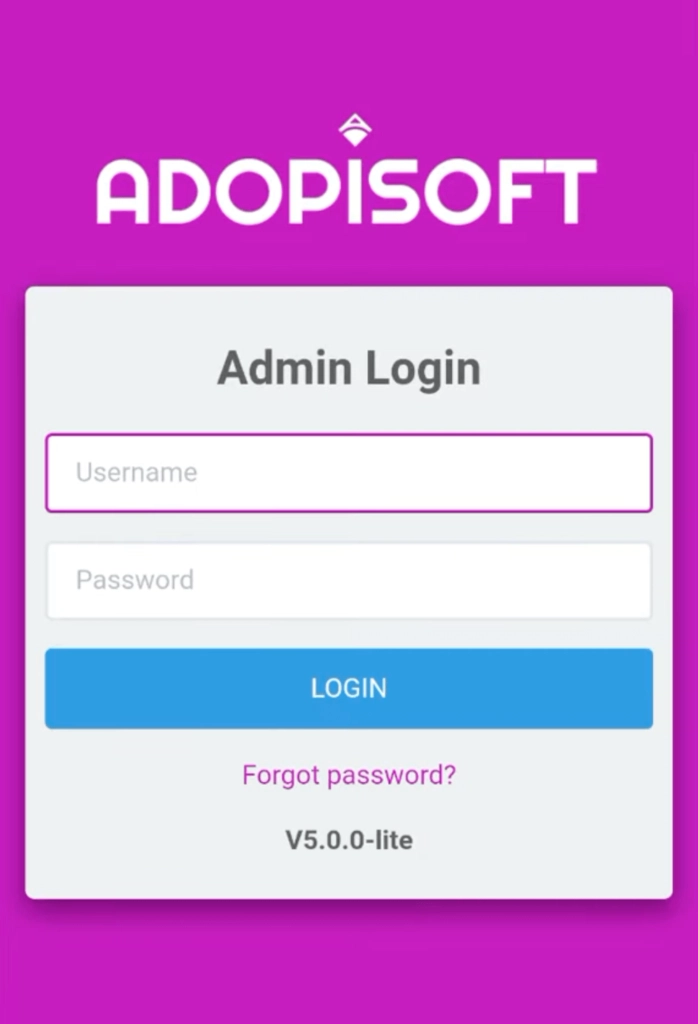
- Welcome! Preparing your access to the Ado Piso WiFi Admin Dashboard.
Key Features to Explore
- Device Monitoring: Track uptime, CPU performance, and network stats in real-time.
- Voucher Generation: Create custom codes for time/data limits, perfect for reselling.
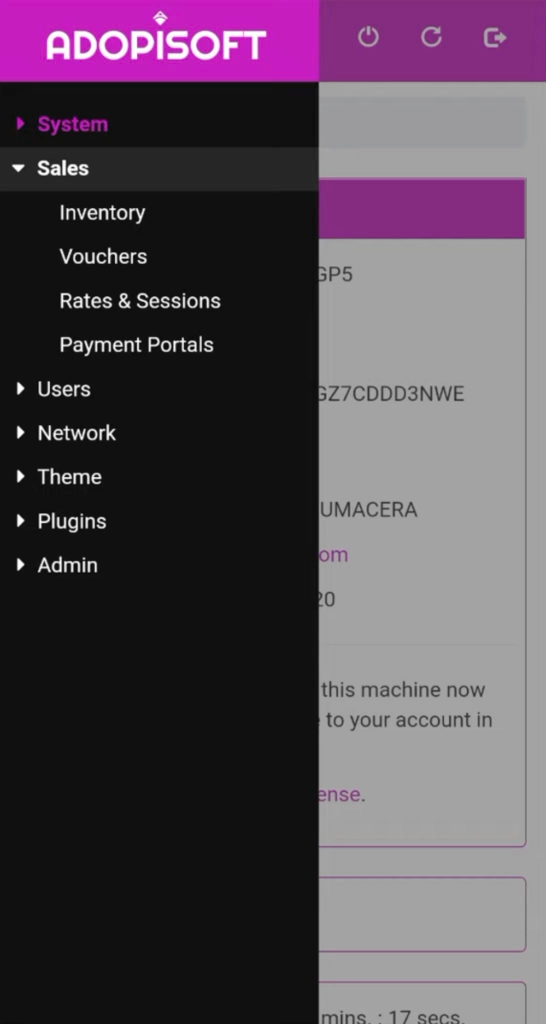
- Rate Customization: Set pricing tiers (e.g., ₱5 for 30 mins) under Sales > Rates & Sessions.
Advanced Tips for Vendo Owners to Maximize Profits
- Leverage Voucher Marketing: Sell prepaid vouchers in local stores or online to reach more customers.
- Optimize Speed Settings: Adjust upload/download limits to balance performance and cost.
- Enable Pause Feature: Allow users to pause sessions, encouraging repeat usage.
- Secure Your Network: Change the default admin password (Menu > Admin > Your Profile ) to prevent unauthorized access.
Technical Insights: How Ado Piso Wifi Works
At its core, Ado Piso Wifi runs on PisoFi OS, a lightweight operating system tailored for Raspberry Pi devices. Here’s the breakdown:
- Hardware: Raspberry Pi 4B handles multiple connections efficiently.
- Software: AdoPiSoft manages user authentication, billing, and network security.
- Connectivity: Uses IP Plug-and-Play for seamless device integration.
Is Ado Piso Wifi Secure?
Yes! The system includes:
- Firewall Protection: Blocks malicious traffic.
- Data Encryption: Safeguards user activity.
- Session Monitoring: Vendo owners can track usage patterns to detect anomalies.
Frequently Asked Questions (FAQs)
Conclusion
Ado Piso Wifi is more than a tool. It’s a community-built solution to close the digital gap. Ado Piso Wifi provides excellent value for everyone. This is the best option if you want cheap internet or plan to start a budget-friendly business.
Ready to Get Started?
- For Users: Find a nearby Ado Piso WiFi hotspot.
- For Vendo Owners: Explore starter kits on Shopee Philippines or partner with iRent Mo.