
10.0.0.1 Piso WiFi Pause Time
Piso WiFi Pause Time lets users temporarily stop an active prepaid internet session so they can return later without continuously consuming their purchased browsing time. Learn how to access 10.0.0.1, use the pause feature, and fix common issues with this step-by-step guide.
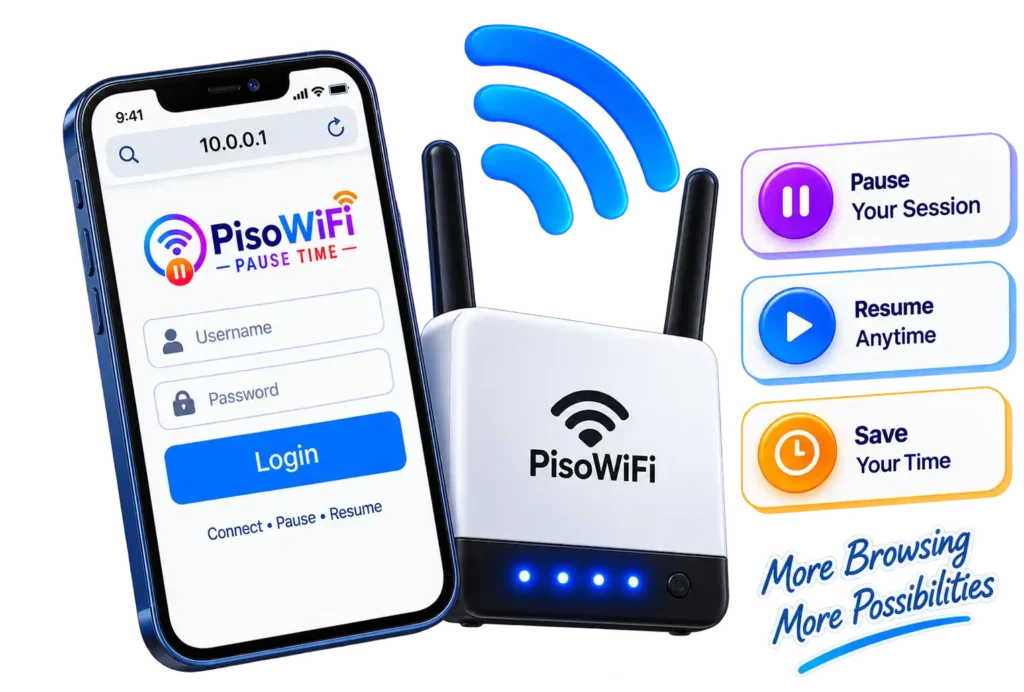
What Is Piso WiFi Pause Time?
What Does Piso WiFi Pause Time Mean?
Piso WiFi Pause Time is a session-control feature that allows you to temporarily stop an active prepaid WiFi session. Instead of allowing the session timer to continue running while you are away, the system can place the session into a paused state.
When the feature is enabled, the user normally sees a Pause Time or similar option in the Piso WiFi portal. After pausing, the session can later be resumed from the portal.
The exact behavior is controlled by the Piso WiFi platform and the Vendo owner’s configuration, so not every machine will necessarily provide identical pause options.
Pause Time vs Active Session Time
Your active session time is the period during which your prepaid internet access is running. For example, if you purchase 60 minutes and actively use 15 minutes, you may have approximately 45 minutes remaining.
Pause Time is different because it is intended to temporarily stop the session timer. When a supported system pauses your session, the remaining time is generally preserved until you resume it.
However, pause limits can be configured by the operator. Some systems may limit how long a session can remain paused or how many times it can be paused.
What Happens When You Pause Your Session?
When you tap Pause Time, the system changes your session from an active state to a paused state.
On supported configurations, the countdown stops and your remaining prepaid time is preserved. Your internet access may also be suspended while the session is paused.
When you are ready to continue, return to the Piso WiFi portal and select Resume Time, Resume, or a similar option.
Because different platforms can handle sessions differently, always follow the controls shown on your particular Piso WiFi portal.
What Happens to Your Remaining Time?
The main purpose of pause time is to prevent your remaining purchased minutes from being consumed while you are not actively using the connection.
For example, suppose you purchase 60 minutes and use 20 minutes. If your Piso WiFi system supports pausing and you pause the session with 40 minutes remaining, the system is designed to preserve that remaining time while the session is paused.
The exact result can depend on the platform’s session rules, pause limit, and configuration. A paused session can also expire if the operator has configured an expiration or maximum pause period.
Does Pausing Stop Your Internet Connection?
On many Piso WiFi configurations, pausing the session also temporarily stops internet access. The important distinction is that the session is formally paused through the Piso WiFi system, rather than simply disconnecting your device from WiFi.
This matters because disconnecting from the network does not necessarily tell the Piso WiFi system to pause the paid session.
Watch: How to Pause and Resume Your Piso WiFi Session
Want to see the process in action? This quick video shows you how to connect to Piso WiFi, start your session, and use the pause and resume feature.
Watch the video below for a simple step-by-step guide to managing your Piso WiFi session.
How Does Piso WiFi Pause Time Work?
Start a Piso WiFi Session
First, connect your phone, tablet, or computer to the correct Piso WiFi network.
Depending on the setup, you may need to insert coins into the Vendo machine, use a voucher, or follow another payment method before an active session begins.
Once payment is accepted, the Piso WiFi portal normally shows your active session and available time.
Check Your Active Session and Remaining Time
Open the Piso WiFi portal and look for your session information.
Depending on the platform, you may see:
- Remaining browsing time
- Session status
- Pause or Resume controls
- Payment or voucher information
- Connection status
If a Pause Time button is available, it generally indicates that the operator has enabled the feature for that user/session type.
Pause Your Session
When you need to stop using the connection temporarily, open the session portal and select Pause Time.
The system should change the session to a paused state. The countdown may stop, and your remaining time should remain available according to the platform’s rules.
If you cannot see the button, the feature may be disabled by the Vendo owner or unavailable for your particular session configuration.
Resume Your Paused Session
When you want to continue browsing, reconnect to the appropriate Piso WiFi network if necessary and open the portal again.
Look for Resume Time, Resume, Continue, or a similar control. Select it to return the session to an active state.
If the resume option does not appear, check whether the pause period has expired or whether you are using the same device/network configuration associated with the original session.
What Happens When Your Purchased Time Expires?
Once your purchased session reaches its configured expiration, your internet access will normally end.
Pausing does not create unlimited access or add extra purchased minutes. It only preserves available time according to the system’s configured pause rules.
If your session has already expired, you may need to purchase additional time or enter a new voucher.
How Long Can a Session Stay Paused?
There is no universal pause duration for every Piso WiFi machine.
The maximum pause period can depend on the software, firmware, and Vendo owner’s settings. Some systems allow administrators to configure pause limits, while other platforms may use different rules, such as limits on the number of pause attempts.
How to Access Piso WiFi Pause Time at 10.0.0.1
Connect to the Correct Piso WiFi Network
Before opening 10.0.0.1, make sure your device is connected to the same Piso WiFi network whose session you want to manage.
If your phone is using mobile data or another WiFi network, the local Piso WiFi portal may not load.
Open the Piso WiFi Portal
Open a web browser such as Google Chrome, Safari, Firefox, or another supported browser.
You can also try opening the portal from the sign-in notification that sometimes appears after connecting to a captive WiFi network.
Enter 10.0.0.1 in the Browser Address Bar
Type:
10.0.0.1
directly into your browser’s address bar and open it.
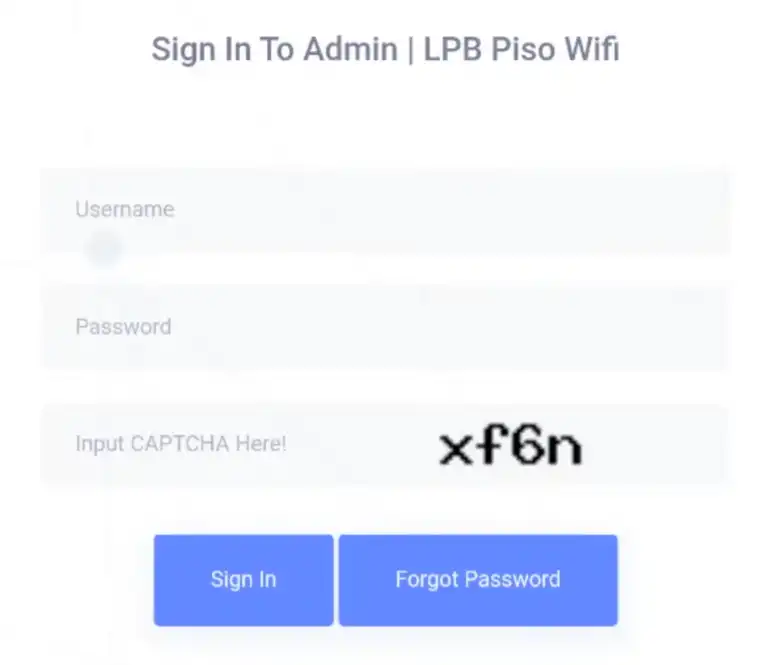
Do not enter it into Google search. The address is intended to connect directly to a local network device or portal.
Important: 10.0.0.1 is a private IPv4 address within the 10.0.0.0/8 private address range defined for private networks. It is not an internet website address. A Piso WiFi system may use it as its local gateway or portal address, but the exact address can vary between installations.
Find Your Active Session
Once the portal opens, look for your current session information.
Depending on the platform, you may see a timer, remaining balance, session status, or controls such as Pause Time and Resume Time.
Check Your Remaining Time
Look for the countdown or remaining-time indicator.
This tells you how much of your purchased browsing time is still available. If the timer is running, your session is active. If it has stopped and the portal shows a resume option, the session may be paused.
Where to Find the Pause Time Button
The Pause Time button is generally located on the user/session page of the Piso WiFi portal.
It may appear as:
- Pause Time
- Pause
- Pause/Resume
- A similar session-control button
If the button is missing, do not assume that 10.0.0.1 is broken. The operator may have disabled the feature, restricted it to certain sessions, or configured different portal controls.
How to Pause and Resume Your Piso WiFi Session
Step 1: Connect to Piso WiFi
Open your device’s WiFi settings and connect to the correct Piso WiFi network.
Make sure you are not connected to another router or relying on mobile data for the portal connection.
Step 2: Open 10.0.0.1
Open your browser and type 10.0.0.1 into the address bar.
If the portal does not load, check the troubleshooting section below.
Step 3: Start or Open Your Active Session
If you have not already started your session, complete the required payment or voucher process.
If you already have an active session, open the page showing your current timer and session details.
Step 4: Tap Pause Time
Select Pause Time.
If the option is available and the session meets the system’s requirements, your session should switch to a paused state.
Step 5: Confirm That Your Timer Has Stopped
Check the timer after selecting Pause.
The countdown should stop on systems that implement pause as a timer freeze. Your remaining time should then remain available according to the configured pause rules.
Step 6: Return to the Portal
When you are ready to continue, reconnect to the appropriate Piso WiFi network if needed.
Open 10.0.0.1 again.
Step 7: Tap Resume Time
Find the Resume Time, Resume, or Continue button and select it.
The exact wording depends on the platform.
Check Your Remaining Time After Resuming
After resuming, verify that the timer is running again.
If the displayed time is different from what you expected, avoid repeatedly refreshing the page. Check whether the session has expired, whether a pause limit was reached, or whether you have returned using a different device or network.
Piso WiFi IP Address Quick Reference
| IP / URL | System | Notes |
| http://10.0.0.1 | LPB Piso WiFi (most common), many others | User portal — see our 10.0.0.1 guide |
| http://10.0.0.1/admin | All standard setups | Admin panel for all LPB machines |
| http://10.0.0.10 | Some AdoPiSoft setups | Check router sticker to confirm |
| http://10.10.0.1 | Less common setups | Sometimes confused with 10.0.0.1 |
| http://192.168.1.1 | Non-Piso home routers | See our 192.168.1.1 guide |
| http://192.168.0.1 | Non-Piso home routers | See our 192.168.0.1 guide |
| Custom domain | PisoFi cloud machines | Check the sticker on the vendo unit |
Not sure which IP your machine uses? On Android: Settings > Wi-Fi > tap the network name > look for ‘Gateway.’ On iPhone: Settings > Wi-Fi > tap (i) > look for ‘Router.’ On Windows: open Command Prompt and type ipconfig — look for Default Gateway.
How to Use Piso WiFi Pause Time on Android, iPhone, and Laptop
Piso WiFi Pause Time on Android
Connect your Android phone to the Piso WiFi network and open a browser.
If a captive-portal sign-in notification appears, you can use it to access the portal. Otherwise, manually enter 10.0.0.1 in the browser address bar.
Once the session page opens, check the remaining time and select Pause Time when available.
Piso WiFi Pause Time on Samsung and Other Android Phones
The process is generally similar on Samsung Galaxy and other Android devices:
- Open WiFi settings.
- Connect to the Piso WiFi network.
- Open Chrome or another browser.
- Enter 10.0.0.1.
- Open your active session.
- Select Pause Time.
- Return to the same portal when you want to resume.
If the portal does not appear, temporarily disable mobile data and make sure the phone remains connected to the Piso WiFi network.
Piso WiFi Pause Time on iPhone and iPad
On an iPhone or iPad, connect to the Piso WiFi network through Settings > WiFi.
Then open Safari or another browser and enter 10.0.0.1.
If the portal is available for your session, you should be able to view your session information and use the available pause/resume controls.
Piso WiFi Pause Time on Windows and Mac
On a Windows PC or Mac:
- Connect to the Piso WiFi network.
- Open Chrome, Edge, Safari, Firefox, or another browser.
- Enter 10.0.0.1.
- Open your active session.
- Select Pause Time if available.
- Return to the portal later to resume.
The interface may look different from the mobile version, but the underlying session controls depend primarily on the Piso WiFi platform.
What to Do When the Sign-In Notification Does Not Appear
A missing sign-in notification does not necessarily mean the Piso WiFi system is unavailable.
Try opening 10.0.0.1 manually in your browser. Also check that:
- You are connected to the correct Piso WiFi network.
- Mobile data is temporarily disabled.
- A VPN is not interfering with local access.
- You typed the IP address into the address bar rather than a search engine.
- The network has not disconnected.
How to Use Piso WiFi Pause Time in Google Chrome
Open 10.0.0.1 in Chrome
Connect to the Piso WiFi network, open Chrome, and enter 10.0.0.1 directly into the address bar.
If the portal is configured to use that address, the Piso WiFi login/session page should load.
Check Your Active Piso WiFi Session
After the portal opens, find the active session or timer.
Look for the remaining-time indicator and any available session controls.
Pause Your Session in Chrome
Select Pause Time or Pause.
If the system supports the feature for your session, the timer should stop according to its configured rules.
Resume Your Session in Chrome
Return to the Piso WiFi portal and select Resume Time, Resume, or Continue.
Check the timer afterward to confirm that the session is active again.
Chrome Cannot Open the Piso WiFi Portal
If Chrome cannot open 10.0.0.1:
- Confirm you are connected to the Piso WiFi network.
- Temporarily turn off mobile data.
- Disable a VPN if one is active.
- Type the address manually.
- Try another browser.
- Disconnect and reconnect to the Piso WiFi network.
- Check whether the operator uses a different local portal address.
Is There a Piso WiFi Pause Time App?
Does Piso WiFi Have an Official App?
There is no single universal Piso WiFi app that applies to every machine.
Piso WiFi systems can use different platforms and firmware, including LPB, AdoPiSoft, PisoFi, JuanFi, and other configurations. Their interfaces and available features can differ.
For many installations, the browser-based captive portal is enough to manage a customer’s session.
App vs Browser-Based Piso WiFi Access
A browser portal has a major advantage: you generally do not need to install additional software.
If the Vendo system provides a web portal at its local address, you can access your session from a compatible browser while connected to the network.
An app, if specifically provided or supported by the operator, may offer additional functionality, but its availability depends on the particular service.
How to Check Whether Your Piso WiFi System Supports an App
Check the Vendo operator’s instructions or the platform documentation associated with the machine.
Do not assume that an app found online is officially connected to your Piso WiFi provider.
Why the 10.0.0.1 Web Portal Is Usually Enough
For a supported setup, the local portal provides direct access to the functions exposed by the machine.
For customers, these may include:
- Starting a session
- Checking remaining time
- Pausing time
- Resuming time
- Entering vouchers or payment information
The exact options depend on the system.
Safety Tips Before Installing a Piso WiFi App
Be careful with third-party APK files, unofficial applications, and websites asking for unnecessary credentials.
A normal customer session should not require you to provide your personal passwords, banking credentials, or unrelated account information.
When possible, use the official portal or instructions provided by the Vendo operator.
Piso WiFi Vendo Pause Time: How Owners Enable It
What Is Pause Time in the Vendo Admin Panel?
For Vendo owners, Pause Time is an administrative session-control feature.
The administrator can determine whether users are allowed to pause and resume their sessions and, depending on the platform, may configure pause duration, limits, or eligibility.
The exact menu structure varies between Piso WiFi platforms and firmware versions.
Open the 10.0.0.1 Admin Portal
An administrator normally connects to the Piso WiFi network and opens the local admin portal.
A common admin path is:
10.0.0.1/admin
However, the exact address and interface depend on the installation.
Only authorized administrators should access this area.
Find the Pause Time or Session Settings
Look under settings related to:
- Portal settings
- User portal
- Session controls
- Insert Coin Mode
- Timer settings
- Pause/Resume settings
For example, some LPB configurations place Pause/Resume controls under portal-related settings, while AdoPiSoft and other systems can use different menu structures.
Enable Pause/Resume for Users
If the platform supports the feature, enable the relevant Pause Time or Pause/Resume setting.
Save the configuration and follow any restart/reload requirement shown by the system.
Configure Pause Limits and Session Rules
Do not assume that every Piso WiFi platform uses the same pause rules.
Depending on the software, an owner may be able to configure:
- Maximum pause duration
- Number of pause attempts
- Session duration
- Eligibility for coin-based sessions
- Eligibility for voucher sessions
- Automatic session expiration
Some platforms use a maximum pause duration, while others may use a different control mechanism.
Test Pause Time From the Customer Portal
After enabling the feature, test it as a normal user.
Start a test session, open the customer portal, and verify that the Pause Time button appears.
Then pause the session and confirm that the expected timer/session behavior occurs before allowing customers to use the configuration.
How to Disable Pause Time
To disable the feature, return to the relevant portal/session settings and turn Pause Time or Pause/Resume off.
Save the changes and restart the service or machine if the platform requires it.
Afterward, verify from a customer session that the Pause button is no longer available.
Important: LPB, AdoPiSoft, JuanFi, PisoFi, and other platforms can have different settings and menu names. Do not apply one platform’s instructions blindly to another.
LPB, AdoPiSoft, PisoFi, and Other Piso WiFi Platforms
LPB Piso WiFi Pause Time
LPB Piso WiFi installations commonly provide a customer portal where users can manage their active session and, when enabled by the operator, pause or resume their time.
A common access point is 10.0.0.1, but the exact portal and available settings depend on the installation.
AdoPiSoft Pause Time
AdoPiSoft is another Piso WiFi software platform used in prepaid and vending-style WiFi deployments.
Its portal and administrative controls can differ from LPB, so users should follow the interface presented by their particular installation rather than assuming that every button or setting is identical.
PisoFi Pause Time
PisoFi is another name that can appear in Piso WiFi-related systems and searches.
If your machine uses PisoFi software, check the customer portal for Pause or Resume controls and consult the operator’s configuration when the option is unavailable.
JuanFi and Other Piso WiFi Setups
JuanFi and other MikroTik-based or customized Piso WiFi setups may use different interfaces and session-management rules.
The presence, location, and behavior of Pause Time can depend on the specific build and configuration.
Why Pause Time Settings Differ Between Platforms
Pause functionality is not controlled by the IP address alone.
The local address provides access to the network portal, while the software or firmware determines what the portal can do.
That is why two Piso WiFi machines can both use 10.0.0.1 but show different menus, controls, or pause rules.
Is Pause Time Available on Every Piso WiFi Machine?
No. Do not assume that every Piso WiFi machine has exactly the same pause feature.
The Vendo owner can configure or disable certain options, and different platforms may provide different session controls.
If you do not see Pause Time, check the machine’s instructions or contact the Vendo owner.
10.0.0.1 Piso WiFi: Correct IP Address and Common Variations
What Is 10.0.0.1?
10.0.0.1 is an IPv4 address inside the private 10.0.0.0/8 address range.
Private IP addresses are used inside local networks rather than being directly routable as public internet addresses.
In a Piso WiFi environment, 10.0.0.1 may be configured as the local gateway or portal address.
Why 10.0.0.1 Is Used for Piso WiFi Portals
A local address allows the Piso WiFi system to provide a web interface directly to devices connected to its network.
This means you can enter the local address in a browser without needing the portal to be a publicly accessible website.
10.0.0.0.1 vs 10.0.0.1
10.0.0.0.1 and 10.0.0.1 are not the same address.
10.0.0.1 is a valid IPv4 address. A string such as 10.0.0.0.1 contains five numerical sections and is not a standard IPv4 address.
If you see 10.0.0.0.1 in searches, treat it as a possible search typo or variation rather than automatically using it as the correct portal address.
Other Local IP Addresses Used by Piso WiFi Systems
A Piso WiFi installation can use a different local address depending on its network configuration.
For that reason, variations such as 10.10.0.1 may appear in discussions or searches.
Do not assume that every Piso WiFi machine uses the same gateway.
How to Find the Correct IP Address
If 10.0.0.1 does not work, check:
- The Vendo machine’s instructions
- The operator’s documentation
- Your device’s network details
- The gateway address shown by your connected network
- The portal address supplied by the machine owner
Why 10.0.0.1 May Not Open on Your Device
Common reasons include:
- You are connected to the wrong WiFi network.
- Mobile data is taking priority.
- A VPN is interfering with local access.
- The machine uses another gateway address.
- The Piso WiFi system is temporarily offline.
- Your device has a network configuration problem.
What Is the Difference Between Pause Time and Disconnecting WiFi?
Pause Time vs Turning Off WiFi
Using the Pause Time button formally changes the session state in the Piso WiFi system.
Simply turning off WiFi disconnects your device, but it does not necessarily tell the system to pause your paid session.
Therefore, if the machine provides a Pause button, use it rather than assuming that disconnecting will preserve your remaining time.
Pause Time vs Closing the Browser
Closing Chrome, Safari, or another browser is not automatically equivalent to pausing the session.
The browser only displays the portal. The Piso WiFi system controls the session timer.
If you need to preserve your session, use the platform’s actual Pause Time function when available.
Pause Time vs Letting the Session Run
If the session remains active, the purchased time can continue to decrease according to the system’s timer rules.
If you are leaving temporarily and the machine supports pausing, formally pausing the session is generally the safer way to preserve your remaining time.
Which Method Protects Your Remaining Purchased Time?
The Pause Time function is specifically designed for this purpose.
Disconnecting WiFi, closing a browser, or turning off your device does not guarantee that your paid session will be paused.
Why You Should Use the Pause Button When Available
Using the official Pause button tells the Piso WiFi system that you want to suspend the active session.
This reduces the risk of assuming that a disconnected device has automatically stopped the session timer.
Piso WiFi Pause Time Troubleshooting
Pause Button Is Not Visible
The most likely explanation is that Pause Time has not been enabled for your session or the operator has disabled the feature.
Ask the Vendo owner whether pause/resume is supported and enabled.
Pause Time Is Not Working
Check your network connection first.
Then reopen the portal and verify whether the session is still active. If the button appears but does not work, the issue may involve the system configuration, firmware, or session state.
Session Will Not Pause
Make sure you are using the customer portal rather than the admin portal.
If the Pause button is available but the session remains active, the Vendo system may have a configuration or software issue.
Session Will Not Resume
Reconnect to the same Piso WiFi network and reopen the portal.
If possible, return using the same device and session environment. Some systems associate sessions with device/network information, so changing devices or networks can interfere with session recognition.
Remaining Time Is Not Updating
Refresh the portal once and verify that the network connection is stable.
If the timer remains frozen when the session should be active, the issue may be related to the portal, session state, or machine configuration.
Session Expired While Paused
A pause feature does not necessarily mean that a session can remain paused indefinitely.
If the operator configured a maximum pause period or session expiration rule, the session can eventually expire even if you intended to resume it later.
10.0.0.1 Is Not Loading
Check that your device is connected to the correct Piso WiFi network.
Then:
- Turn off mobile data temporarily.
- Disable any active VPN.
- Type 10.0.0.1 directly into the address bar.
- Reconnect to the WiFi network.
- Try another browser.
- Ask the Vendo owner for the correct local address if it still does not load.
Piso WiFi Portal Keeps Loading
If the page continuously loads, the local network may not be responding correctly.
Reconnect to WiFi and try again. If other devices also cannot access the portal, the issue may be on the Piso WiFi machine rather than your individual device.
Connected to WiFi but No Internet
Being connected to the Piso WiFi network does not always mean that you have an active internet session.
Check whether:
- You completed payment or voucher activation.
- Your session has started.
- Your session has been paused.
- Your purchased time has expired.
- The machine itself has lost its internet connection.
Chrome Cannot Access 10.0.0.1
Try another browser and make sure you entered the address into the address bar.
Also check mobile data, VPN settings, and the WiFi connection.
Mobile Data Is Interfering With the Connection
Some phones can automatically prefer mobile data when the WiFi network has no internet access.
Temporarily disable mobile data while accessing the local Piso WiFi portal.
VPN Is Blocking Local Portal Access
A VPN can change how local network traffic is routed.
Temporarily disconnect from the VPN and try accessing the portal again.
Machine Lost Power or Restarted
A power interruption or system restart can affect active sessions, depending on the platform and how it stores session information.
If your paused session disappears after a restart, contact the Vendo owner rather than repeatedly purchasing new time.
Cannot Resume the Session on Another Device
Some systems associate a session with the original device or network identity.
If your session does not appear after switching devices, return to the original device if possible. Platform-specific behavior varies, so the Vendo owner may need to check the session from the admin panel.
Security Tips for 10.0.0.1 Piso WiFi Access
Make Sure You Are Connected to the Correct Piso WiFi Network
Before entering 10.0.0.1, confirm that you are connected to the intended Piso WiFi network.
Do not enter admin credentials while connected to an unrelated network.
Use the Correct Local IP Address
Only use the local address provided by the Vendo system or its administrator.
Remember that 10.0.0.1 is a private network address, not a universal Piso WiFi website.
Do Not Enter Admin Credentials on Random Websites
The customer portal and administrator portal are different.
If you are a regular user, you normally should not need administrator credentials just to pause your own session.
Never enter admin usernames or passwords into an unrelated website found through search results.
Avoid Untrusted Piso WiFi Apps
Do not install random APKs or applications claiming to provide special access to Piso WiFi systems.
Use the web portal or application specifically provided or supported by the operator.
Vendo Owners Should Change Default Admin Credentials
Vendo owners should never rely indefinitely on factory or publicly documented administrator credentials.
After installation, change the administrator password to a strong, unique password and keep it private.
Keep the Admin Portal Restricted to Authorized Users
The admin portal can expose sensitive configuration and network-management controls.
Only authorized operators should have access to it. Customers should use the normal user portal for session management.
Piso WiFi Pause Time Tips for Users
Pause Your Session Before Leaving
If you are stepping away temporarily, use the Pause Time button before leaving whenever the feature is available.
Check Your Remaining Time Before Disconnecting
Look at the timer before leaving so you know how much purchased time remains.
Avoid Repeatedly Refreshing the Portal
Repeatedly refreshing the portal is unlikely to solve a session problem and can make it harder to determine what state the session is actually in.
Resume the Session When You Are Ready
Return to the portal and use Resume Time or the equivalent control when you want to continue browsing.
Keep the Correct Portal Address Available
If your machine uses 10.0.0.1, remember the address so you can quickly return to the portal.
If it uses another address, follow the operator’s instructions.
Contact the Vendo Owner When Pause Time Is Disabled
If there is no Pause Time button, the feature may simply be disabled.
The Vendo owner controls many of the session and portal settings, so contact them rather than trying to access or modify the admin panel yourself.
Frequently Asked Questions
How do I pause my Piso WiFi time?
Connect to the Piso WiFi network, open the customer portal, and select Pause Time when the option is available. On many installations, the portal can be reached through 10.0.0.1. The exact process depends on the machine’s software and configuration.
How do I check my remaining Piso WiFi time?
Open the Piso WiFi customer portal and look for the session timer or remaining-time indicator. If your session is active, the portal should show the available time according to the system’s interface.
What is 10.0.0.1 in Piso WiFi?
10.0.0.1 is a private IPv4 address that may be configured as the local gateway or web portal address for a Piso WiFi installation. It belongs to the private 10.0.0.0/8 address range.
How do I resume a paused Piso WiFi session?
Reconnect to the appropriate Piso WiFi network, open the portal, and select Resume Time, Resume, or Continue, depending on the system.
Why can’t I see the Pause Time button?
The Vendo owner may have disabled the feature, restricted it to certain session types, or configured a platform that does not expose the option in the same way.
Can I pause Piso WiFi using Chrome?
Yes, if your Piso WiFi setup supports the pause feature. Open the local portal in Chrome, usually through 10.0.0.1, and select Pause Time when available.
Can I pause Piso WiFi on an iPhone?
Yes, provided the machine supports Pause Time. Connect your iPhone to the Piso WiFi network, open Safari, access the local portal, and use the available session controls.
Can I use Piso WiFi pause time on Android?
Yes. Connect your Android phone to the Piso WiFi network, open a browser, access the local portal, and select Pause Time if it is enabled.
Is there a Piso WiFi pause time app?
There is no single universal app for every Piso WiFi machine. Many systems provide a browser-based portal instead. Use an app only when it is specifically supported or provided by your operator.
Does pausing save my remaining time?
On systems that implement Pause Time as a session freeze, pausing preserves the remaining prepaid time while the session is paused. However, pause limits and expiration rules can vary by platform and configuration.
How long can Piso WiFi stay paused?
There is no universal limit. The Vendo owner or software platform may configure a maximum pause duration or another session rule.
Can I resume my Piso WiFi session on another device?
Not always. Some Piso WiFi systems associate a session with the original device or network information. If the session does not appear on another device, try returning to the original device or contact the Vendo owner.
What happens if I close my browser while paused?
Closing the browser does not necessarily cancel a properly paused session, but the exact behavior depends on the platform. When you return, reconnect to the appropriate network and open the portal again.
Is Piso WiFi pause time available on all machines?
No. Pause Time depends on the platform, firmware, and Vendo owner’s configuration. Two machines can provide different options even if both use a local portal.
Why did my Piso WiFi session expire while paused?
The system may have a maximum pause duration or separate session-expiration rule. Check the machine’s configuration or contact the Vendo owner if the session expires unexpectedly.
Is 10.0.0.0.1 the same as 10.0.0.1?
No. 10.0.0.1 is a valid IPv4 address, while 10.0.0.0.1 has five numeric sections and is not a standard IPv4 address.
How do I find the IP address of my Piso WiFi?
Check the Vendo machine’s instructions, the operator’s documentation, or your device’s network details. If the machine uses 10.0.0.1, entering that address while connected to the Piso WiFi network should open the relevant local portal.
How do I access the Piso WiFi admin panel?
For authorized Vendo owners, a common admin path is 10.0.0.1/admin. The exact address and menu structure depend on the platform. Do not attempt to access the admin panel unless you are authorized to manage the machine.
What is the default Piso WiFi admin password?
There is no single universal password that should be treated as valid for every Piso WiFi installation. Credentials vary by platform, firmware, and installation. Vendo owners should use the credentials supplied for their system and change any default password immediately.
How can I fix Piso WiFi with no internet connection?
First, confirm that you are connected to the correct Piso WiFi network and that your session is active. Check whether the session is paused or expired, temporarily disable mobile data and VPNs, reconnect to WiFi, and reopen the local portal. If multiple devices have the same problem, the Vendo system or its upstream internet connection may need attention.
Conclusion
Piso WiFi Pause Time is designed to give users more control over prepaid internet sessions. When supported and enabled, you can open the local Piso WiFi portal, commonly through 10.0.0.1, pause an active session, preserve the remaining time according to the system’s rules, and resume browsing later.
The most important thing to remember is that disconnecting from WiFi is not necessarily the same as formally pausing a session. Use the Pause Time control whenever it is available.
If the Pause button is missing or the session will not resume, check the network connection, local portal address, mobile data and VPN settings, and the machine’s configuration. For Vendo owners, remember that LPB, AdoPiSoft, PisoFi, JuanFi, and other platforms can expose different settings and controls, so the exact procedure should match the installed software and firmware.
Popular IP-addresses
10.0.0.1 > 10.1.1.1 > 10.0.0.2 > 192.168.1.1 > 192.168.0.1 > 10.10.10.1 > 192.168.8.1 > 20.0.0.1 > 192.168.178.1 > 192.168.100.1 > 10.5.50.1